Kali
ROLE
Front end developer and designer
TIMELINE
24 hours
TEAM
Me and 1 SWE
Overview
In under 24 hours, we designed and shipped a fully functional AI-powered assistant that records speech in the browser, transcribes it with Whisper, parses intent using structured LLM outputs, and automatically updates a real calendar. The result is a production-ready system that transforms spontaneous thoughts into reliable plans.
Motivation
We both have ADHD. And we both live the same frustrating cycle: someone mentions lunch plans while we're walking to class. We agree. We mean to add it to our calendar. We forget. We miss lunch.
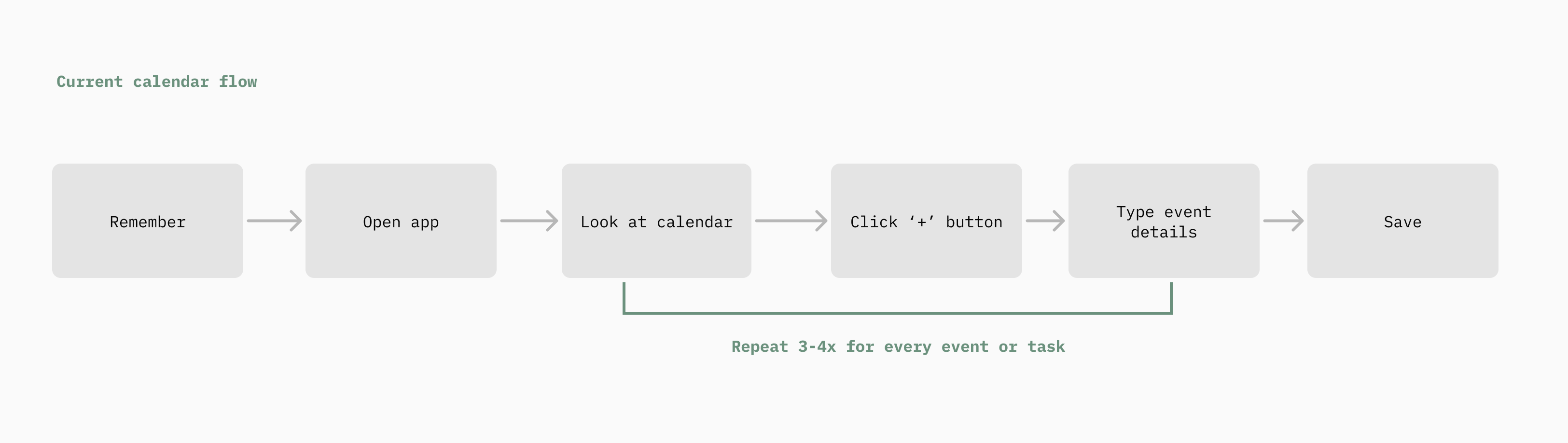
Or we're mid-conversation and realize we need to move a meeting. But stopping to open our laptop and navigate through calendar interfaces feels like too much. So we don't. And we double-book ourselves.
We were tired of living like this. Tired of being the person frantically typing on their phone while walking, head down, just to capture a fleeting thought before it vanishes. To-do list apps demand we sit down, categorize, and organize when our brains don't work that way. Productivity tools require more executive function than we have to give.
We didn't want another to-do list, another complex calendar interface, or have to try harder to remember things. We wanted something that worked the way our brains actually work: spontaneous, conversational, and immediate. Something that meets our standards for design and simplicity, not just another cluttered app that adds to the mental load.
Solution
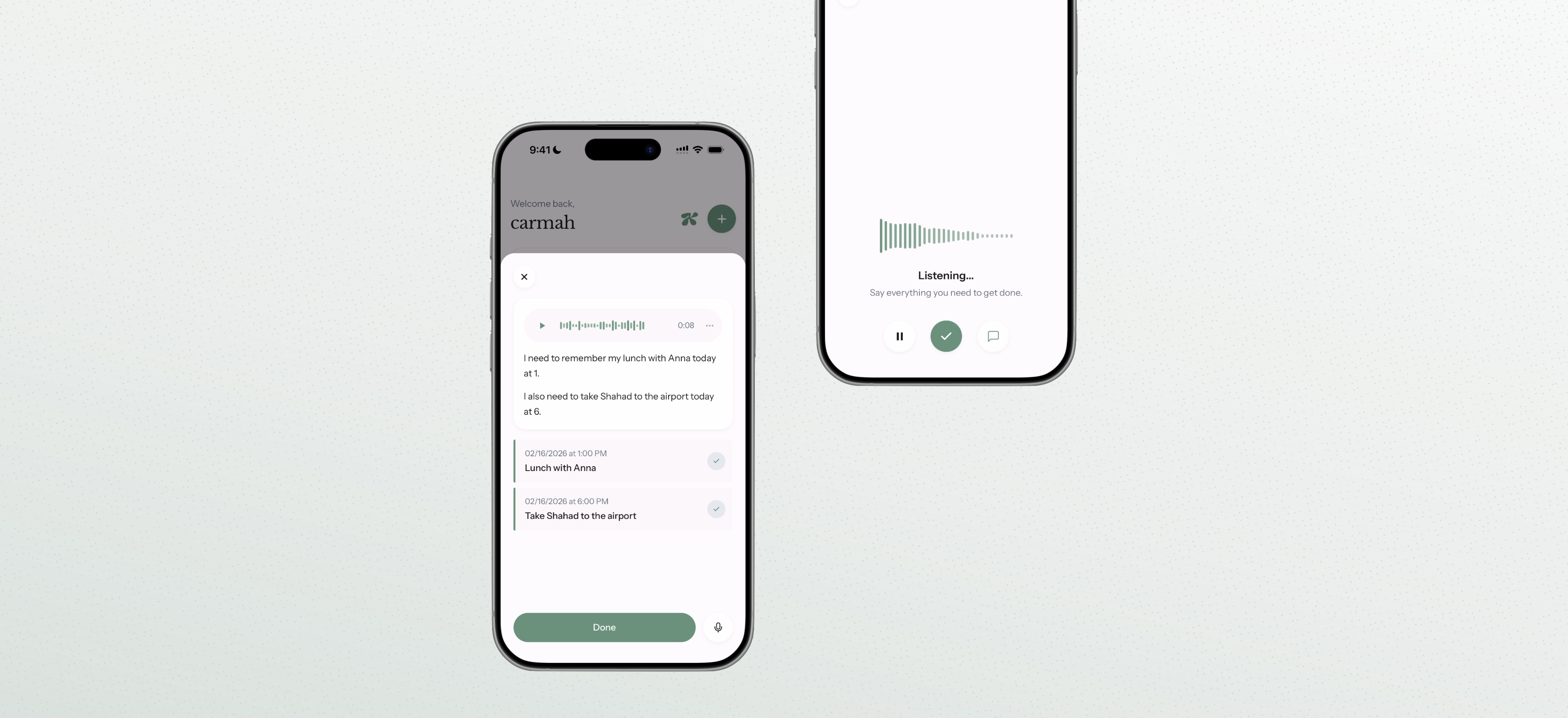
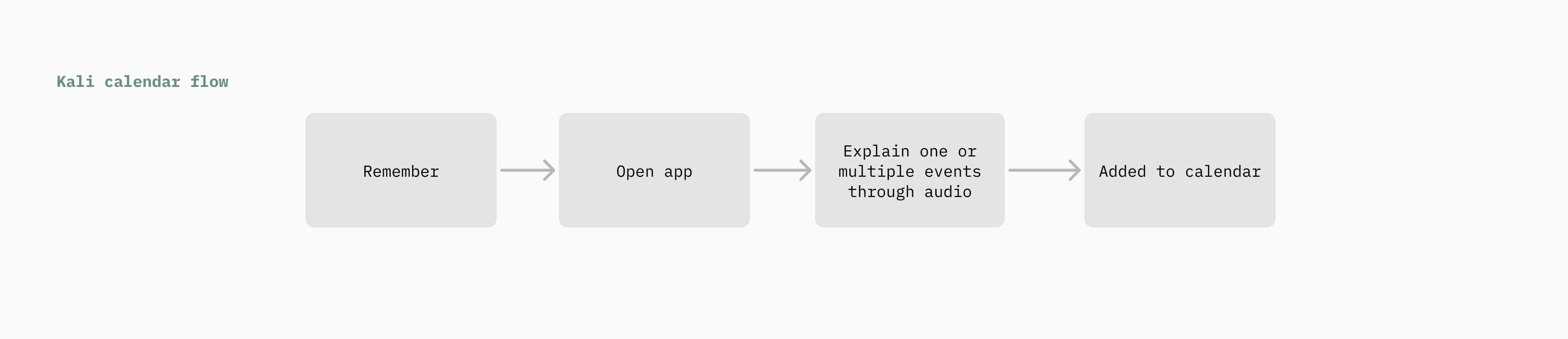
Kali is a voice-first productivity assistant designed for people with ADHD. Instead of navigating complex calendar interfaces, users simply speak their intent. A user can say "Meeting with Sarah tomorrow at 3pm" and Kali automatically creates the event. By converting natural language into structured calendar operations, Kali eliminates the cognitive friction and executive function overload of manual scheduling. Planning becomes conversational, fast, and intuitive.
The stack
- Frontend: React, Vite, TypeScript, Tailwind
- Authentication and Database: Firebase Auth and Firestore
- Backend: Express with TypeScript
- Speech-to-text: Open-source Whisper running locally
- AI Parsing: OpenAI API with structured JSON schema enforcement
Pipeline
- Audio is recorded directly in the browser using the MediaRecorder API.
- The audio file is sent to our Express backend and transcribed using Whisper.
- The transcript is sent to the OpenAI API, which extracts structured intent using a strict JSON schema.
- The structured response defines the action type and parameters for creating events, along with title, date, and time.
Example structured output
We used OpenAI's structured response format with JSON schema validation to ensure machine-readable outputs. This guarantees that natural language is converted into predictable backend operations, making the system reliable enough to automate real calendar actions.
{
  "intent": "create",
  "title": "Meeting with Sarah",
  "date": "2026-02-15",
  "time": "15:00"
}
User journey
Importing
Directly import your calendar from Google Calendar or iCal via .ics.
Events
Create multiple events through speaking. Audio will be transcribed and automatically added to your calendar.
Tasks
Generate tasks via audio. These tasks are then classified based on importance and urgency.
Summary
Generate a daily summary based on your events and tasks.