
.png)
When starting to use Replit, users often don't know how to successfully prompt the system. The issue isn't technical capacity, it's the ability to translate their thoughts into appropriate prompts for replit's agent.
.png)
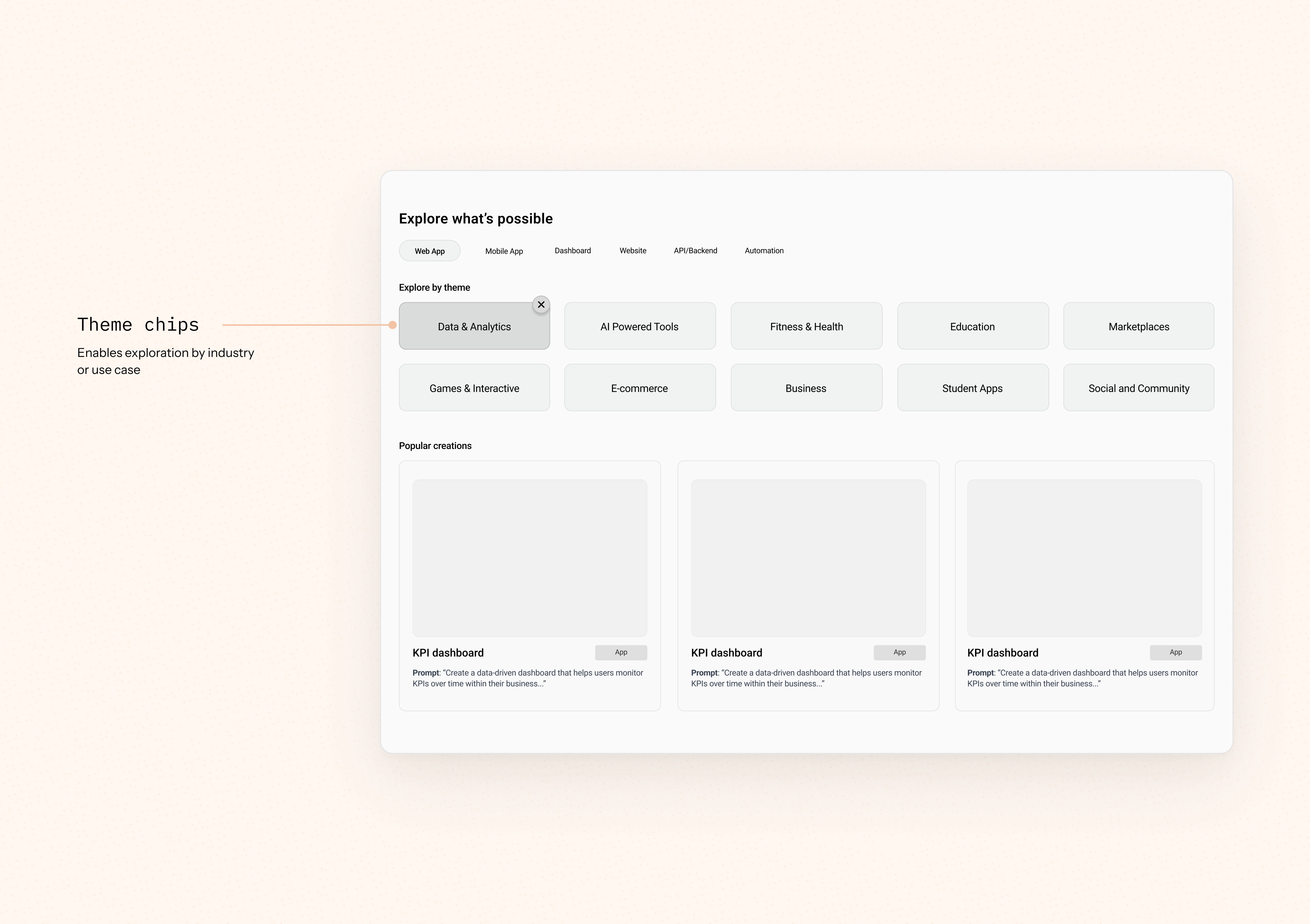
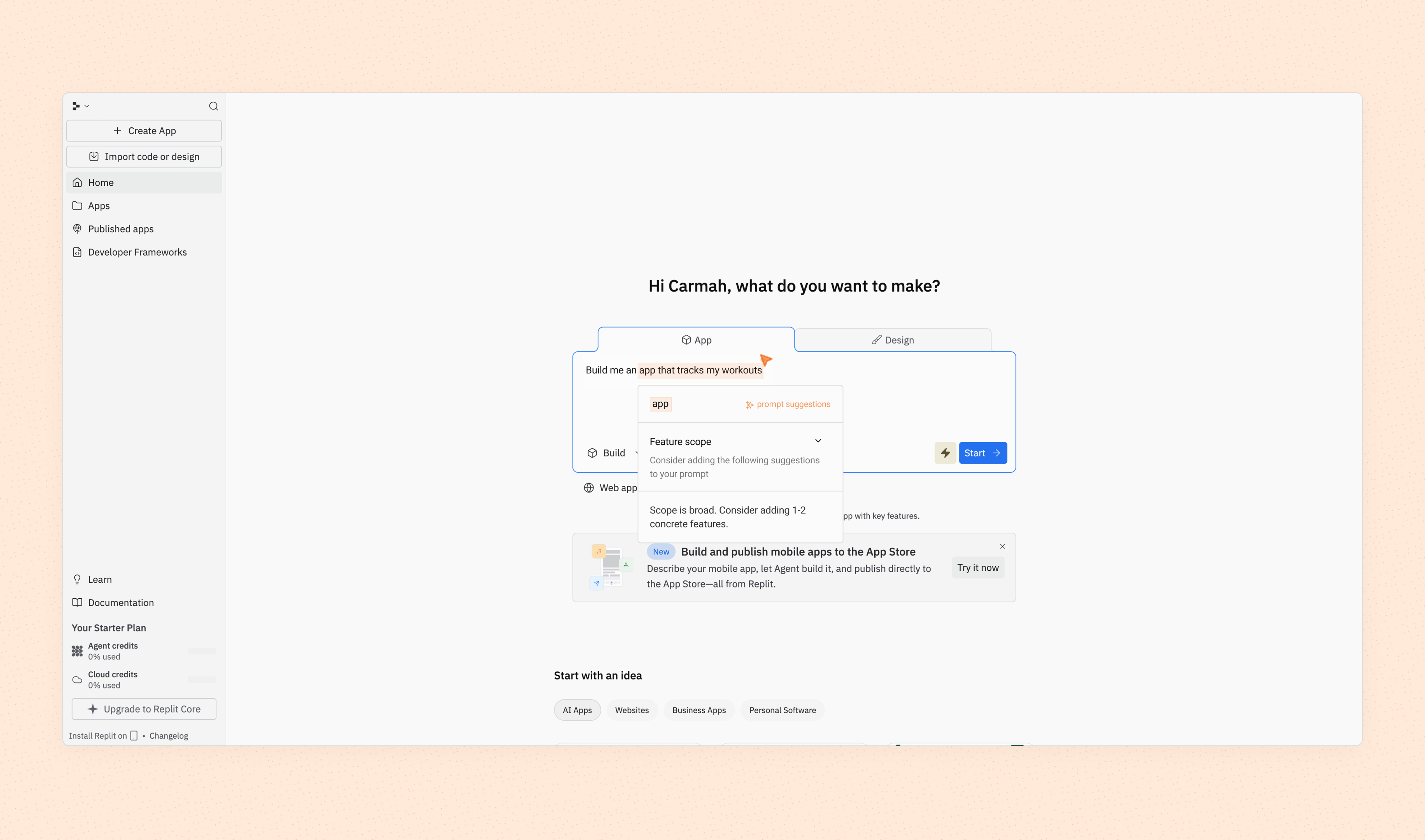
The Prompt Editor provides real-time, inline suggestions that help users refine their prompts and understand how input changes impact output. This helps maintain momentum and support the user where they are. Instead of following lengthy tutorials, the user can simply look at suggestions and accept them, directly improving their prompt. This also implicitly teaches the user what a successful prompt is and builds the habit.
When the user types in a prompt that is too short or not specific enough, the system flags it with a subtle highlight.
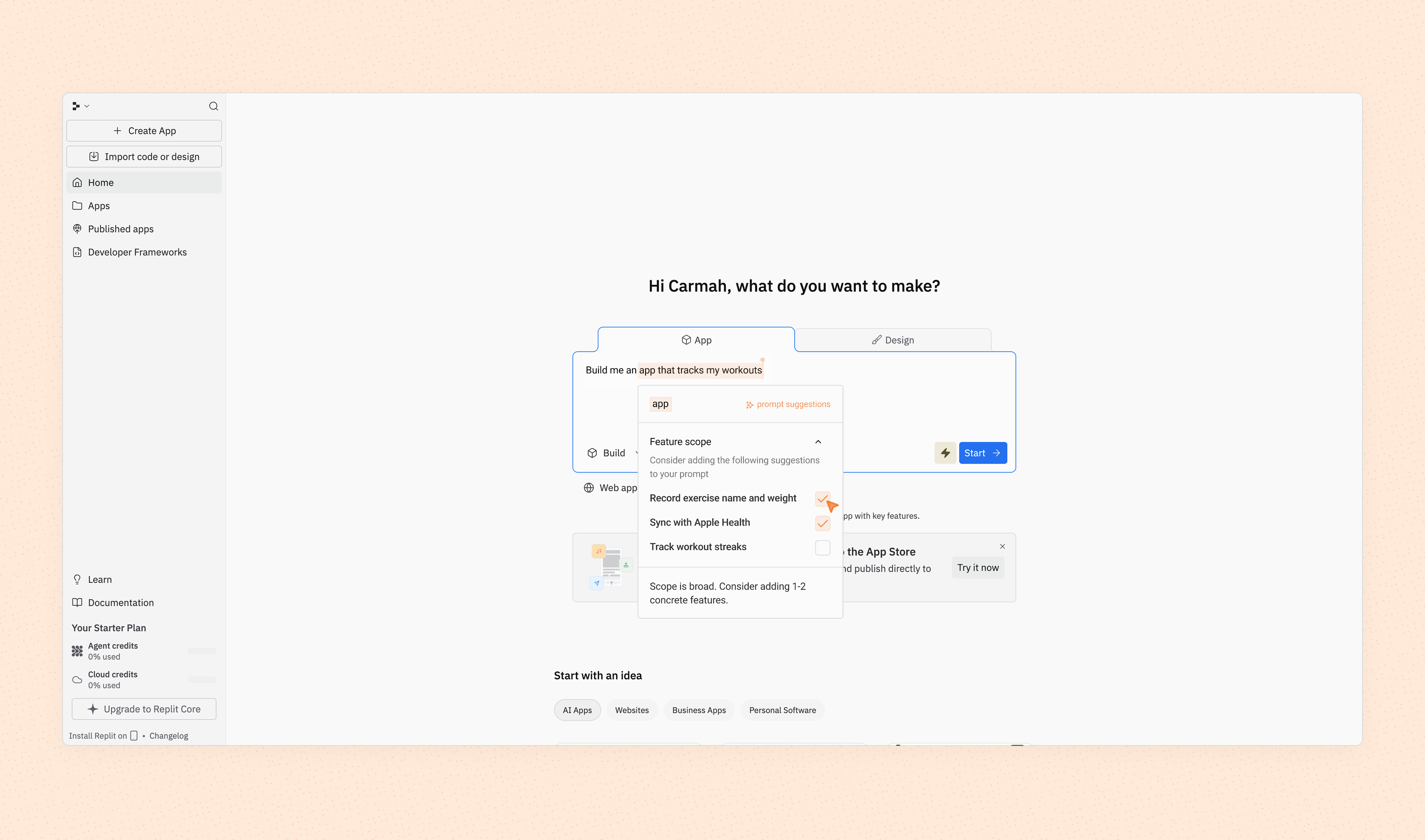
The user can simply select suggested improvements. This maintains momentum and meets the user where they already are.
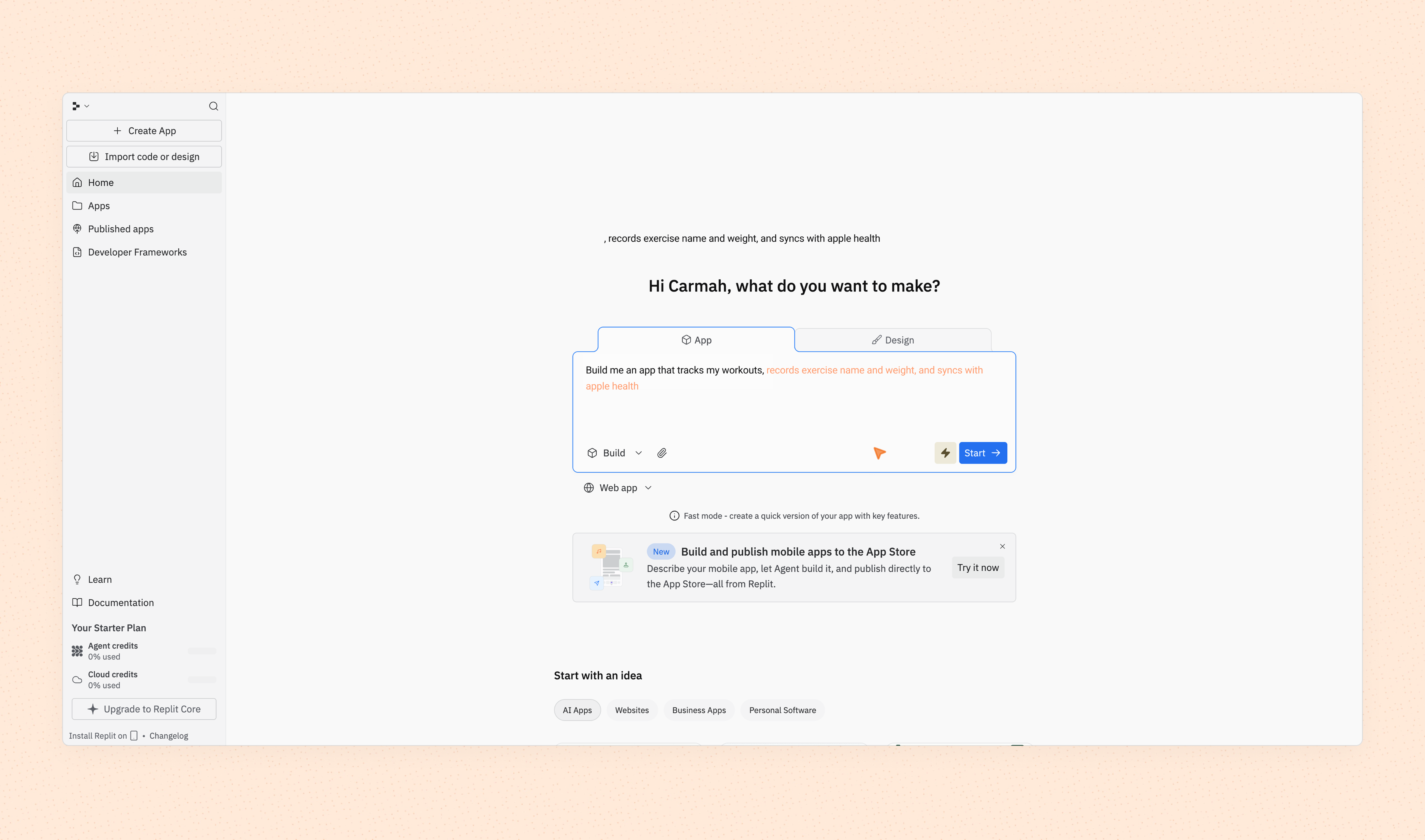
The changes are automatically implemented.
The goal here is to incorporate a shadow of how the user needs to act as soon as they land on the home page. It is meant to remove friction and decision fatigue by almost spoon feeding users ideas while showing them what their first action needs to be.
Contextual prompt suggestions guide users toward higher-quality inputs by surfacing relevant starting points. Rather than facing a blank canvas, users can select from intelligent suggestions that demonstrate effective prompting patterns, reducing friction and accelerating time to first successful output.